

Spawners: your collection and your farms
On ScandiCraft, a spawner belongs to your account. You place it anywhere in your territory, take it back whenever you want, and nobody else can steal it.
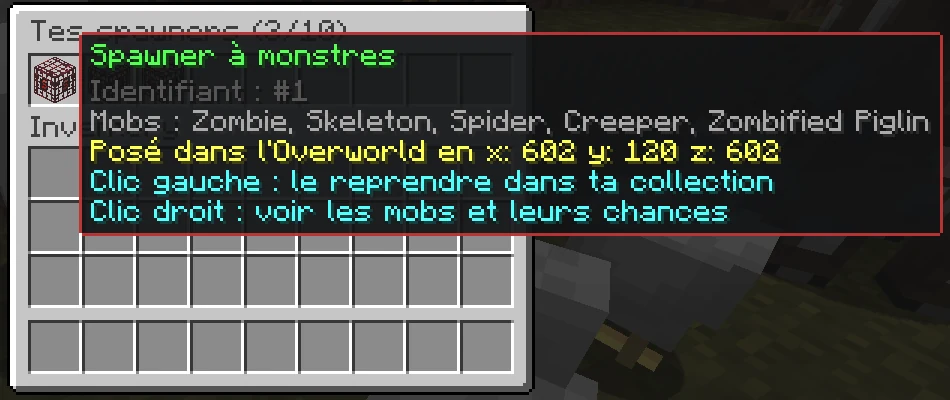
Your spawner collection
/scandispawneropens your collection with the type, ID, dimension and coordinates of each spawner. Left-click chooses placement or requests retrieval. Retrieval always asks for confirmation: Retrieve or Cancel. Right-click opens mob details and their spawn chances- A spawner cannot be dropped, traded, sold at the auction house or stored in a chest
- You can own up to 10 spawners, placed or in your collection, all types combined. This limit may still change
- Spawners cannot be crafted: there is no recipe
Two spawner types
- Monster spawner :zombie, skeleton, spider, zombified piglin and creeper
- Animal spawner :pig, chicken, sheep and cow
- On each spawn, the spawner picks a mob of its type. A monster spawner mostly spawns zombies, then skeletons, spiders, creepers and, more rarely, zombified piglins. Every animal has the same chance
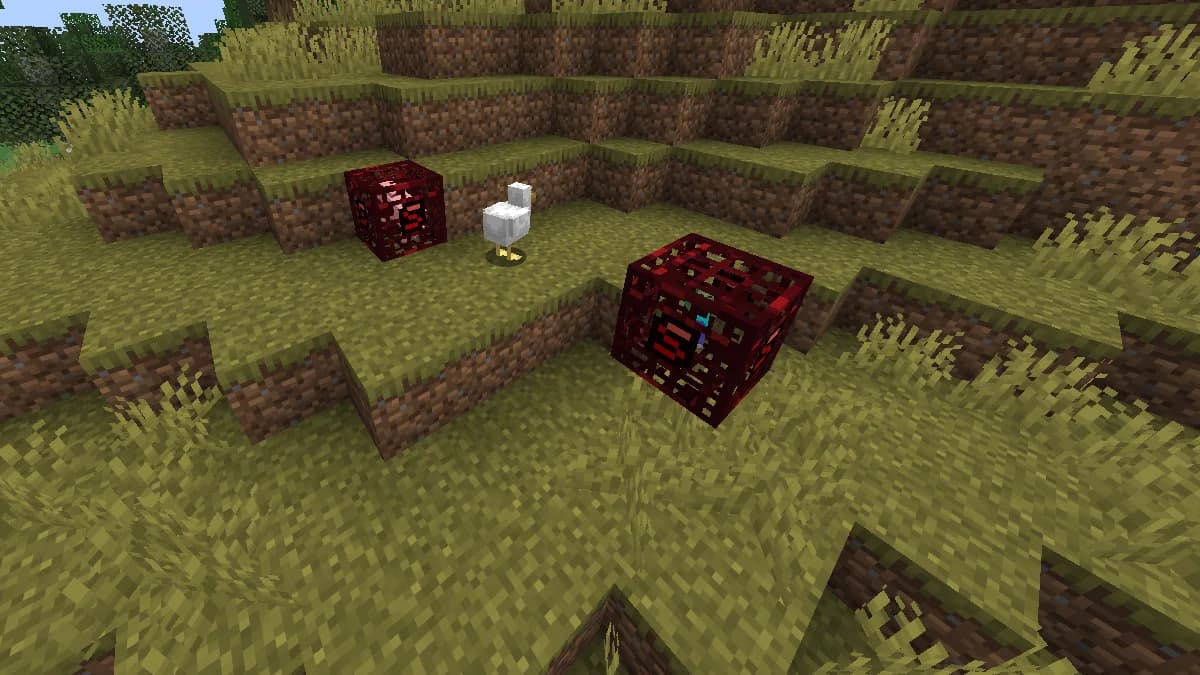
- You recognise a player spawner by its red cage marked with a small ScandiCraft S on its sides. It always shows a zombie (monsters) or a pig (animals)
- A spawn egg does not change a player spawner's type
Placing a spawner
- Click a spawner in your collection, then aim at a block and use the Use action within 30 seconds: the spawner goes against the face you aim at
- You can only place it in the Wilderness or in your faction's claims. The Safezone, the Warzone and other factions' claims, allies included, are refused
- The spot must be empty: a spawner never replaces a block and cannot be placed on a player, a mob or a vehicle
- You also need permission to build there
- A spawner cannot touch bedrock, obsidian or a siege block on any face. You cannot place one of those blocks against a player spawner either
- A chunk holds at most 2 player spawners, all owners combined. Beyond that, the chat tells you to place yours in another chunk
Taking a spawner back
- Break your spawner or click it in your collection: it goes straight back there. The collection reopens so you can take back another one
- Nothing drops, neither an item nor experience
- From your collection you can take it back from anywhere, even if your claim was lost or taken, or if you left your faction
Protection
- Only its owner can break a player spawner: not an enemy during a raid, not even a member of your own faction
- No explosion destroys a spawner, natural dungeon spawners included
- If your claim is lost or taken by another faction, your spawner stays in place and remains yours
- Aim at a ScandiSpawner while holding the Stoneward Scepter: its owner appears on screen without clicking. The Attack action also shows its owner in chat
Keeping a spawner running
- A spawner works as in vanilla: it activates when a player is within 16 blocks
- Monsters spawn in the dark; animals need grass on the ground and light
- Mobs appear within 4 blocks of the spawner: leave free space
- A spawner waits while 6 or more mobs of the same type surround it. Clear them out or space your spawners at least 9 blocks apart
- A new wave comes roughly every 20 to 80 seconds
- Mobs drop their usual loot and experience
Getting a spawner
Ways to obtain spawners will be announced. A spawner you receive goes straight into your collection, with no item to pick up.
Frequently asked
Can an enemy break my spawner during a raid?
No. Only its owner can break a player spawner, and no explosion destroys it.
What happens to my spawner if I lose my claim?
It stays in place and still belongs to you. Open /scandispawner and click it and confirm retrieval, wherever you are.
Why does my spawner no longer spawn anything?
Check that a player is within 16 blocks, that its mobs' conditions are met (darkness for monsters, grass and light for animals), that there is free space around it and that fewer than 6 mobs of the same type surround it.